
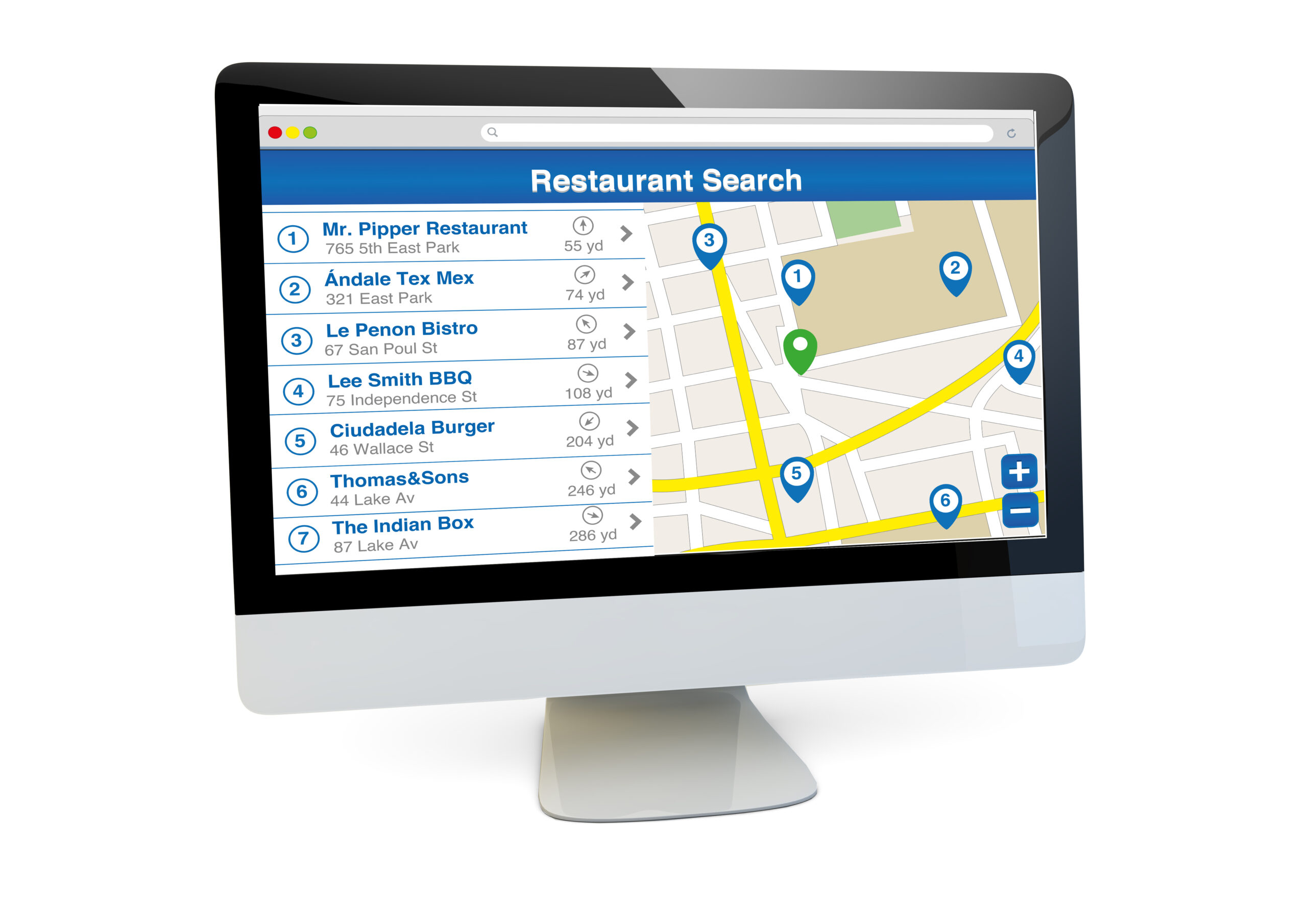
Imagine the incredible possibility of promoting your restaurant and attracting new customers without spending a cent. This is the true potential of having a well-ranked Google My Business profile on Google.
According to a Google study:
- 4 out of 5 consumers use search engines to find local information.
- 50% of consumers who perform a local search on their smartphone visit a business the same day.
What does this mean for you as a restaurateur? One of your first tasks should be to develop and optimize your restaurant’s SEO on Google in order to increase your local visibility and become a go-to choice. This way, you can reach the huge customer base searching for nearby restaurants like yours.
How to use Google My Business to grow your restaurant
Businesses can create a profile or listing on Google My Business for free, making it easier for customers to discover and access important information.
When you create a business profile for your restaurant, the following text is displayed by default:
- Your restaurant’s name
- Your restaurant’s address
- Your restaurant’s phone number
- Your restaurant’s opening hours
- A link to your restaurant’s website (if you have one. A Facebook account is not a website)
- A link to your restaurant’s listing on Google Maps
- A link to reviews of your restaurant
Let’s look at some Google My Business examples and what your customers will see if they search for your restaurant on Google:
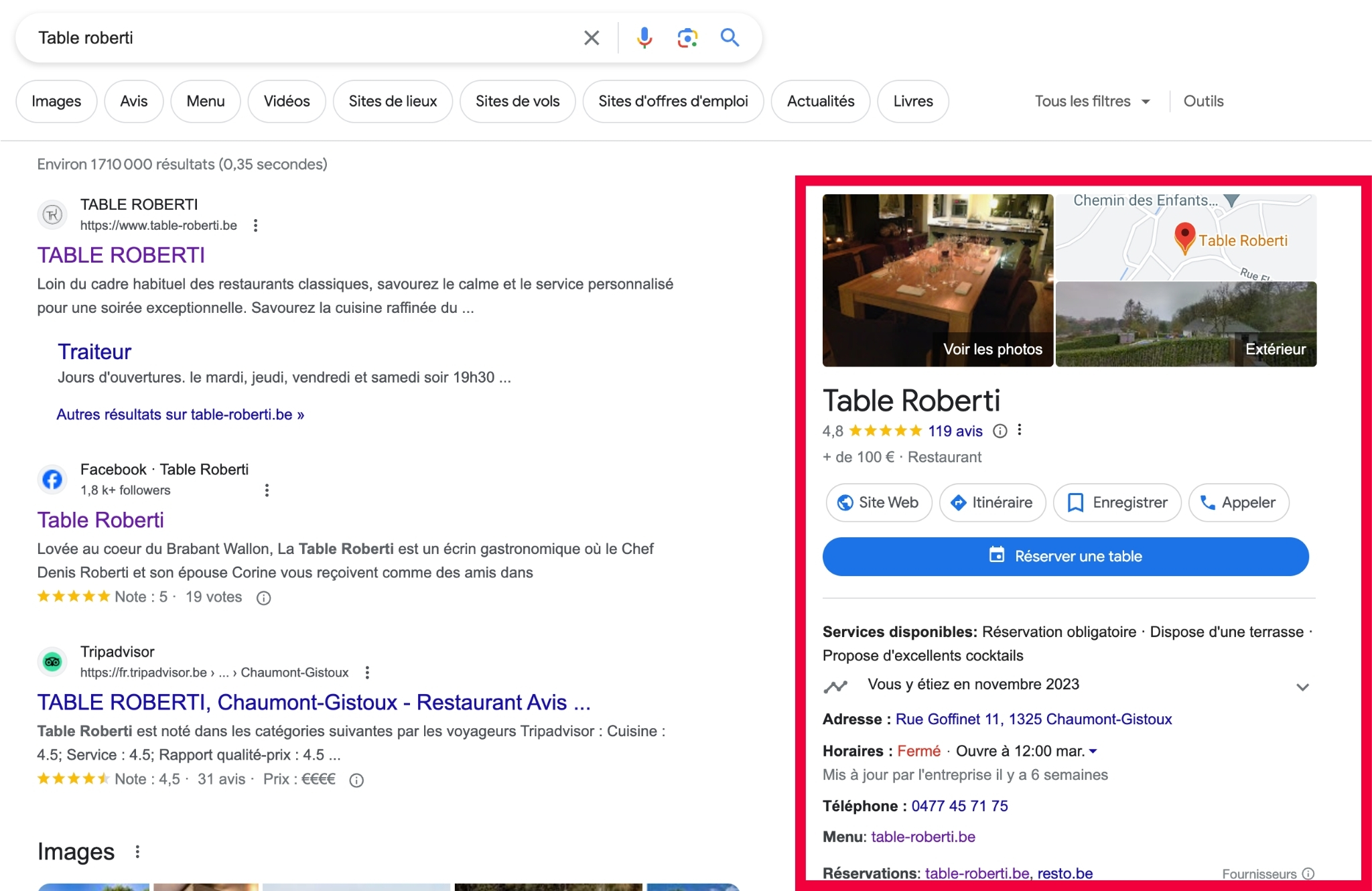
1. First, your restaurant will appear in the upper-right corner of the Google search results page
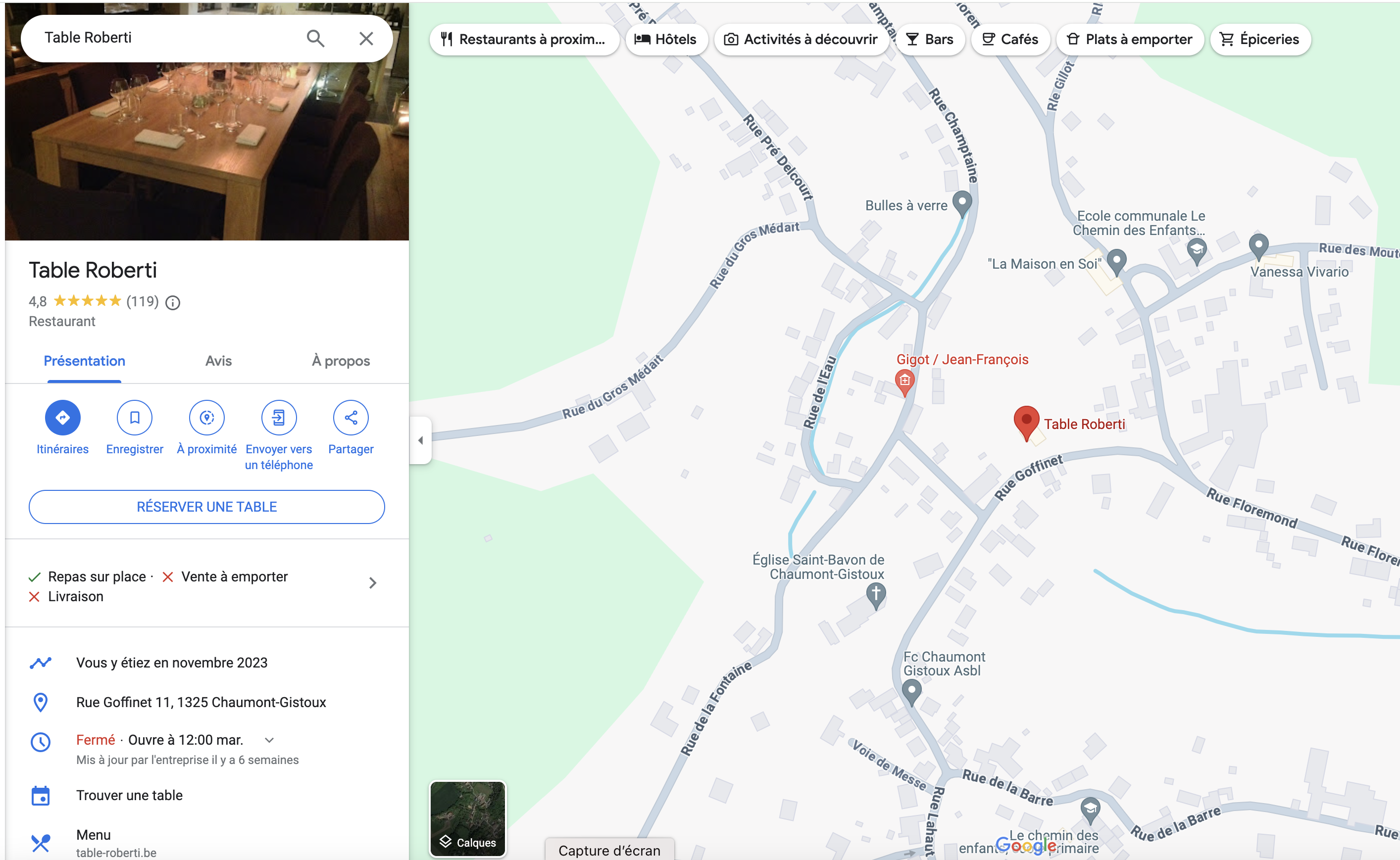
2. Your restaurant’s location will also appear on Google Maps
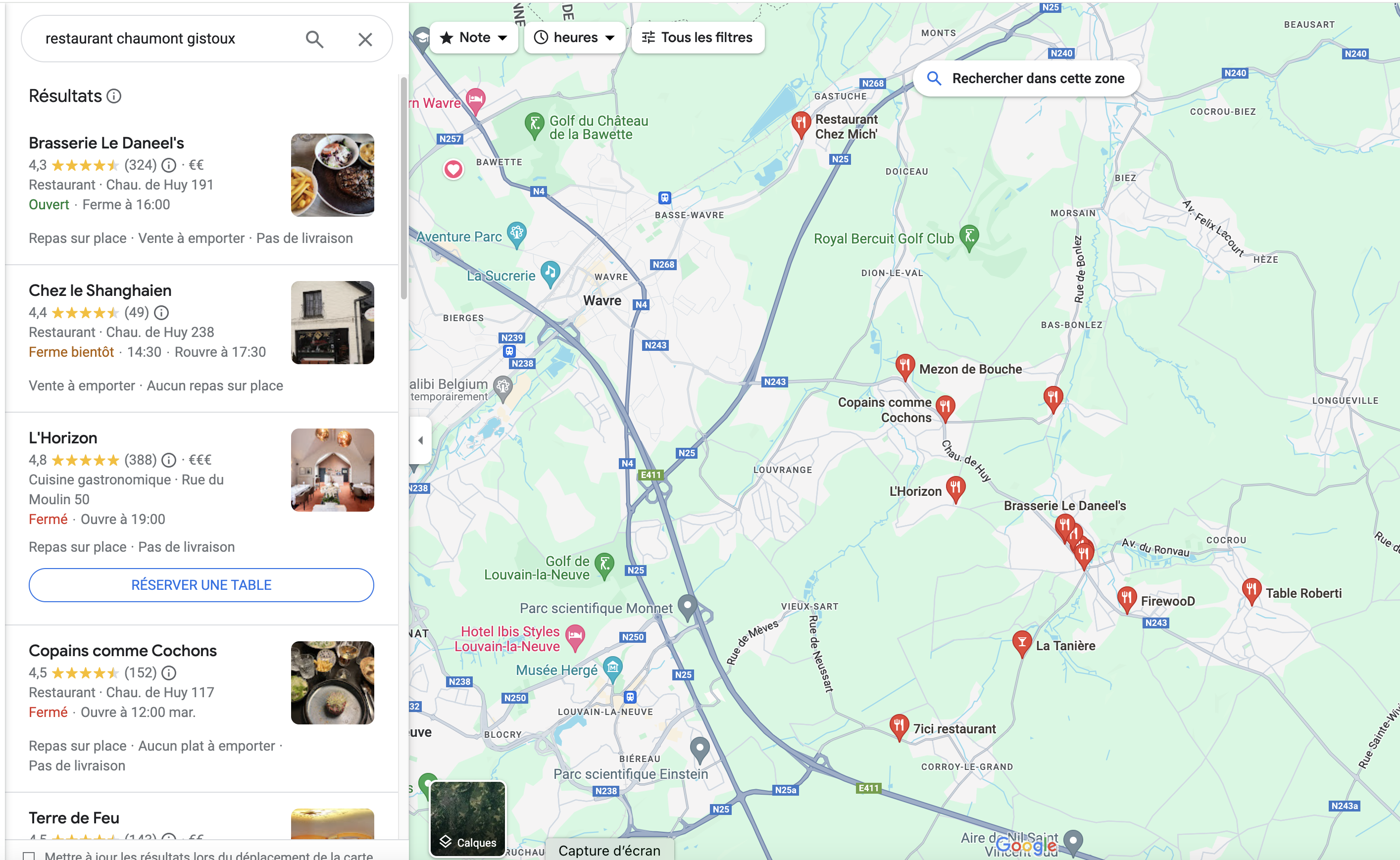
3. The “Local Pack” is a Google section that displays local results, such as businesses, based on users’ searches. It aims to provide personalized answers with information such as the address and opening hours, and pinpoints businesses on Google Maps.
It’s an effective way for users to find businesses close to their location. For businesses, appearing in the Local Pack can significantly increase visibility and potentially revenue, because this information appears before traditional search results.
You can also add other information to your business profile, such as your restaurant’s menu, photos of your dishes, and information about your staff.
Having a complete and accurate Google My Business listing can help your restaurant appear higher in Google search results, which can lead to more customers.
Improve your restaurant’s Google My Business profile in 6 easy steps
Most restaurants don’t realize that there’s more to do than simply creating a profile and claiming their listing.
The goal of this listing is to serve as a local marketing tool, requiring regular maintenance and optimization.
1. Include a description of your restaurant
Google gives you 750 characters to briefly describe your restaurant. Highlight what makes your restaurant unique and present your main dishes here.
Rather than focusing only on sales or discounts, be sure to include information that helps the reader learn more about your restaurant.
Include words or phrases people would use to describe your restaurant if they could.
Make sure to use terms like “Italian restaurant,” “Italian dishes,” or “Italian cuisine” if you serve Italian food, for example. Your restaurant will be more likely to appear on the first page of local search results if people search for the same terms in that exact way.
Here is an example:
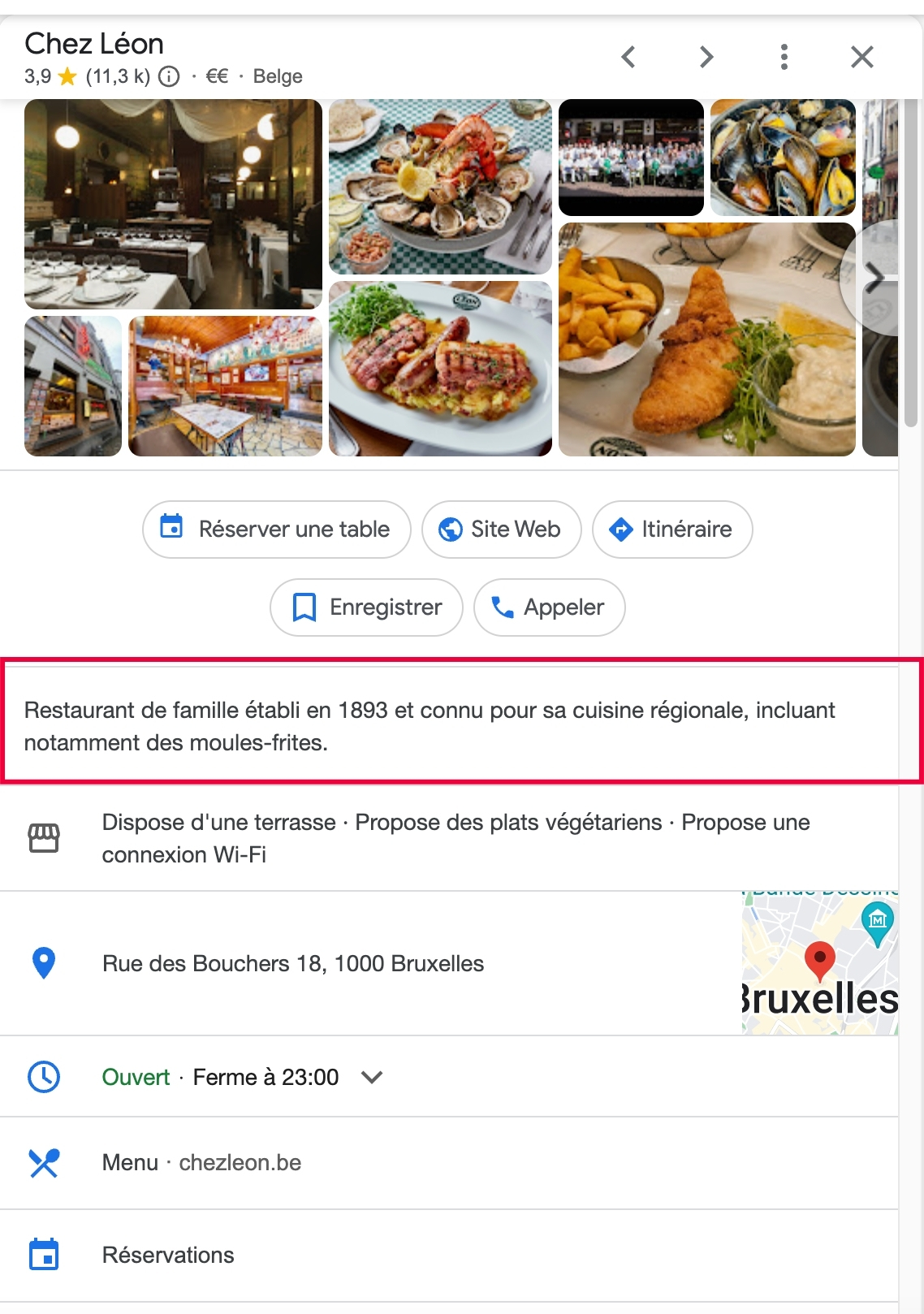
Here’s how to do it:
- Go to your Google My Business dashboard.
- Click the Info tab.
- Click the Add a business description button.
- Enter your business description.
- Click the Save button.
2. Choose relevant business attributes
Customers can quickly learn more about your restaurant thanks to Google My Business attributes.
- Attributes can be factual, such as whether your restaurant offers dine-in or takeout options, or they can be opinion-based, such as whether the restaurant is a good place to take kids or is popular for dinner.
You have control over the subjective qualities, which are determined by the feedback left by customers who have eaten at your restaurant.
You should include all important, applicable, and relevant objective business attributes that apply to your restaurant. Providing as much information as possible is intended to influence dining choices.
Here is an example:
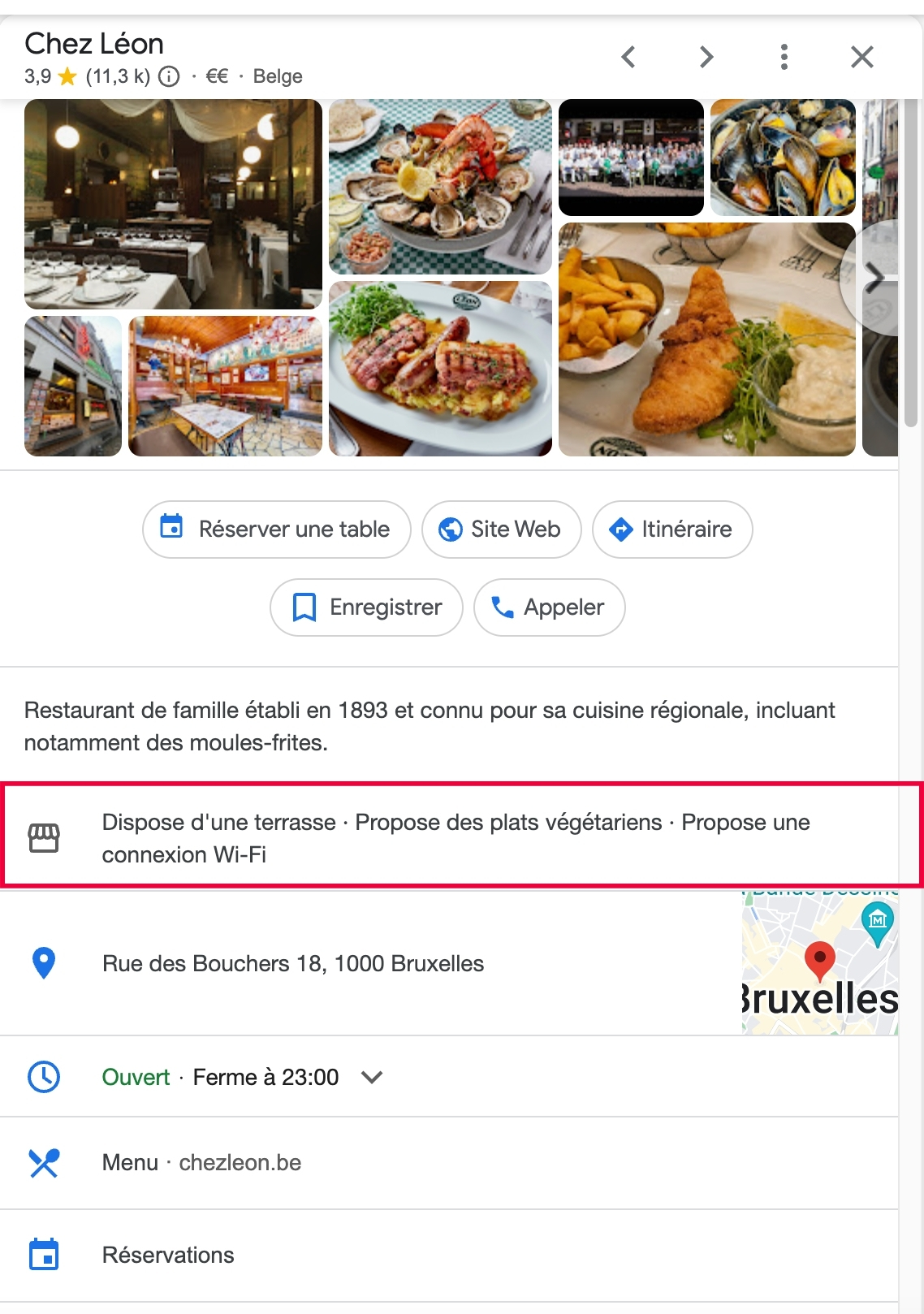
Here’s how to do it:
- Go to your Google My Business dashboard.
- Click the Info tab.
- Click the Add attributes tab.
- Select the attributes that apply to your business.
- If you’re not sure which attributes to select, you can use the search bar to find specific attributes.
- Click the Save button.
3. Make use of the “Book a table” button
Reserve with Google is one of the most effective Google services offered to restaurants. Thanks to this feature, customers can now book tables directly from Google Search.
By including a booking link on your business profile, users can more easily reserve a table with just one click on a button, potentially increasing bookings and revenue.
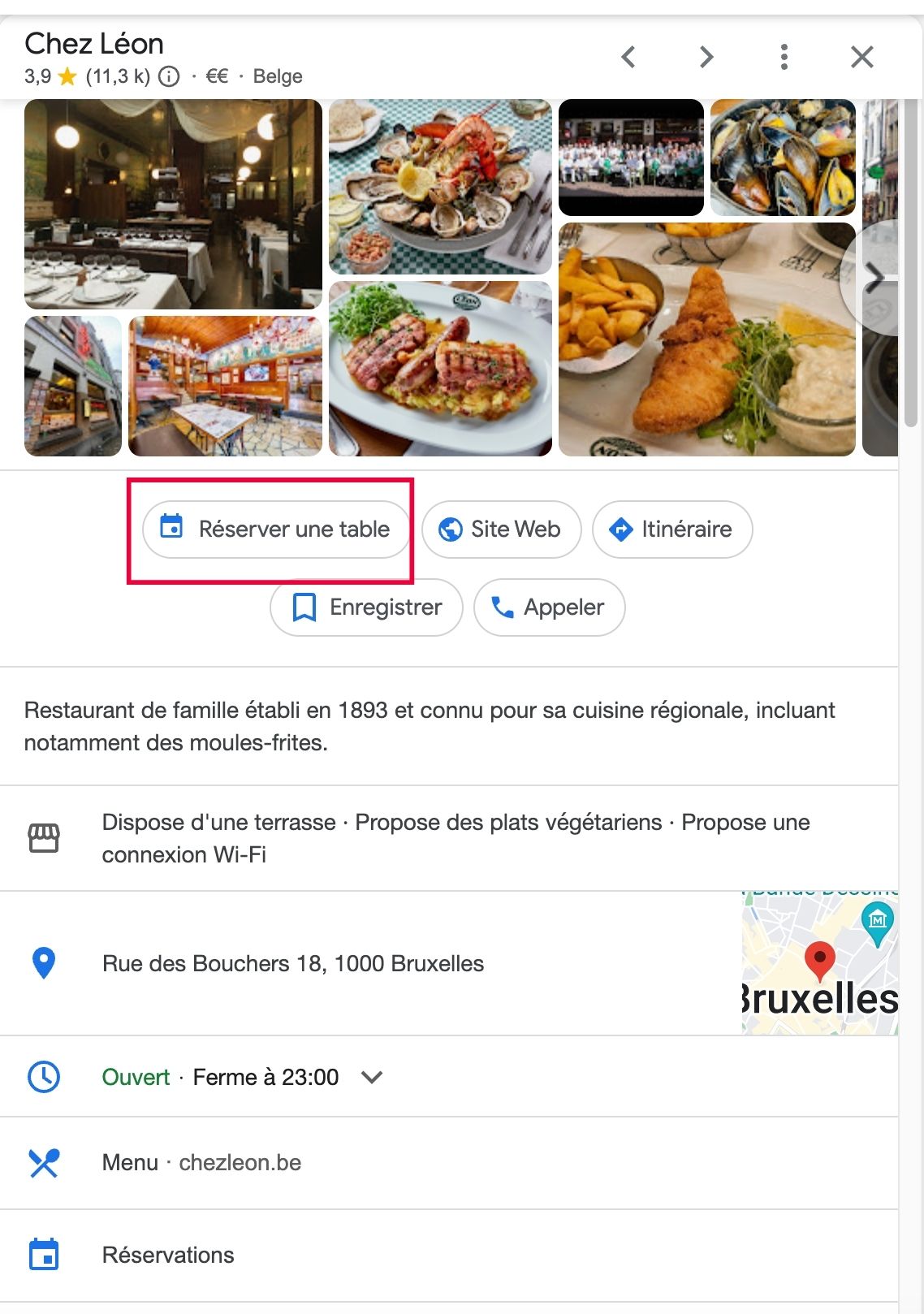
Here’s how to do it:
- Sign up for a Google My Business account.
- Verify your business.
- Add your business to Google Maps.
- Set up your business’s online booking system
- Link your online booking system to Google My Business.
- Enable the Reserve with Google button.
“Our research shows that businesses that enable the Reserve with Google button see a 22% increase in online bookings.” – Pamela Newcomb, Senior Product Manager at Google
4. Add high-quality images and videos
The value of your Google My Business listing is strengthened by photos and videos, which also help customers know what to expect. Profiles with photos reportedly generate 42% more requests for directions on Google Maps.
You can add them by selecting the “+” icon under Home. Make sure to follow the dimensions suggested by Google.
For images:
- Type: PNG or JPG
- File size: Between 10 KB and 5 MB
- Resolution: Minimum 720 px wide, 720 px high
- Quality: Realistic, well-lit, and no filters
For videos
- File size: Less than 75 MB
- Length: Up to 30 seconds
- Resolution: 720p or higher
You’ll see there are several categories to choose from when uploading photos, including Exterior, Interior, Menu, Products, etc. To give visitors an in-depth understanding of your offerings, be sure to include relevant photos in each section. You can also work with influencers for your restaurant to get high-quality content
The Google Street View app, available for iOS and Android mobile devices, lets you create a 360-degree virtual tour of your business.
Here’s how to do it:
- Go to your Google My Business dashboard by visiting https://business.google.com/ and signing in with your Google account.
- Once signed in, you’ll see the Info tab on the left side of the dashboard. Click the Info tab.
- The Info tab will show you a summary of your business information. Scroll down to the Photos section.
- Click the Photos tab to access the Photos section.
5. Make sure your opening hours are correct
It goes without saying that customers get frustrated when they travel to a restaurant only to find it closed. This can be especially frustrating if the customer has traveled a long way. In the worst case, the customer may leave a negative review, which can hurt your business.
To avoid this, it’s important to ensure your opening hours are listed correctly. You can use the “Special hours” feature to list any changes from your regular hours, such as being closed for a public holiday or being open longer during a busy season.
For example, if you’re a restaurant that will be open five days a week instead of seven during the Christmas season, you can use the “Special hours” feature to list your holiday hours. This will help ensure customers know when you’re open and when you’re closed.
By taking the time to accurately list your opening hours, you can help prevent customer frustration and protect your restaurant’s reputation.
Here’s how to do it:
- Go to your Google My Business dashboard.
- Click the Info tab.
- Click the Hours tab.
- Click the Add hours button.
- Select the days of the week you are open.
- Enter the start and end times for each day.
- If you have special hours, such as holiday hours, you can enter them here.
- Click the Save button.
6. Manage reviews
Engage with your Google Business profile! Guests can ask questions, rate your place, and share their experiences with images.
Reviews are essential, as 93% of customers check them before making a decision. Encourage customers to leave reviews and be sure to respond to all feedback, positive or negative, to show that you’re listening.
The importance of positive reviews for a business is significant. Businesses with an average five-star rating enjoy a 39% higher click-through rate than those with a one-star rating.
In addition, improving a rating from three to five stars can lead to a 25% increase in click-through rate from the Local Pack. This reveals two crucial points: first, the importance of having a good average review rating on Google, and second, the considerable positive impact that improving customer reviews can have on click-through rate.

Here’s how to do it:
- Go to your Google My Business dashboard. You can do this by visiting https://business.google.com/ and signing in with your Google account.
- Click the Reviews tab. This will show you a list of all the reviews that have been left for your business.
- Find the review you want to reply to. You can do this by scrolling through the list or searching for the reviewer’s name.
- Click the Reply button under the review. This will open a message box where you can type your response.
- Type your response and click the Post reply button. Your response will then be published on the review.