
Changing the budget or target (target CPA, target ROAS) of a campaign that’s already stable doesn’t trigger a Google Ads learning period, says Tal Akabas, a product manager on the Google Ads team. He made the point in a nearly 44-minute episode of the Ads Decoded podcast about budgets and bidding, posted to the Google Ads YouTube channel on October 15, 2026. The same episode announces that promotion mode is leaving beta, along with two settings for new and lapsed customers. With Black Friday six weeks away, on Friday, November 27, that matters for how you set up your campaigns now.
The episode is hosted by Ginny Marvin, Google’s Ads Product Liaison. The first topic is channel prioritization, which Google announced the day before and which we covered in our article on Google Ads channel prioritization. Quotes from the episode below come from YouTube’s automatic transcript, as quoted by the trade site PPC Land on October 16.
A belief that holds advertisers back before the holidays
Many advertisers won’t touch a campaign that’s working for fear of sending it back into “learning,” PPC Land notes. Google Ads itself feeds that fear. According to Google’s help page on bid strategy statuses, the “Learning” status can appear after a “setting change,” and performance may fluctuate while it shows.
Bidding also changed this summer, which adds to the doubt. Since August 27, 2026, when the rollout finished, budget-limited campaigns using target CPA or target ROAS optimize toward that target instead of outperforming it, according to Google’s FAQ on target-based bid strategies.
On Reddit this week, one practitioner suspects that change is behind the rising cost per click they’re seeing across many accounts. Another describes Google Ads conversions sliding since mid-September and daily sales down to a third of their usual level.
Tal Akabas’s answer
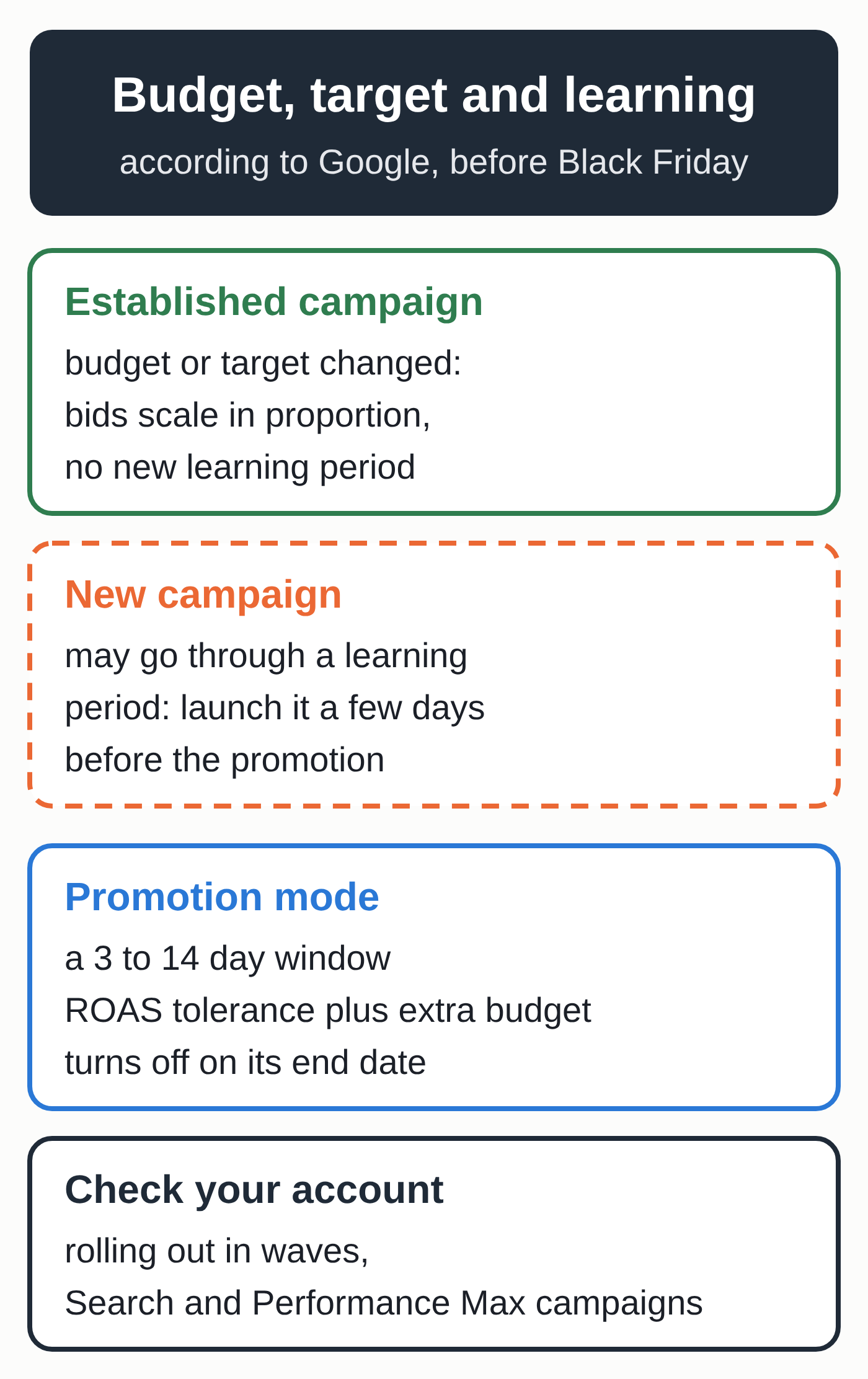
“When you change your target for an existing steady state campaign, when you change your target or your budget, there isn’t actually a learning period,” Akabas said. The Google Ads system, he explained, “will scale bids directly in proportion” to the new target, using the bid and budget simulations it already computes for each campaign. For a brand-new campaign, on the other hand, “some learning period can take place,” he added, although Google does share some information across campaigns in the same account.
As PPC Land points out, the statement is narrow and applies only to the budget and target of an established campaign. New ad assets, new targeting and a new bid strategy fall outside it, and Akabas gave no threshold beyond which proportional scaling would stop working.
Google’s help pages are more cautious
The FAQ cited above backs the podcast: Smart Bidding “reacts to target changes in real time, whether they’re large or small.” It also recommends waiting one to two conversion cycles before judging the results.
Google’s holiday guide, which covers Shopping and Performance Max campaigns, is more conservative. It advises adjusting target ROAS in steps, for example in increments of 30%, with one to two conversion cycles between changes, and avoiding budget or target changes while a new campaign ramps up. As of October 17, neither that guide nor the bid strategy status page had been updated since the podcast.
Promotion mode comes out of beta
Google launched promotion mode in beta on June 15, 2026, for Search and Performance Max campaigns. It lets you temporarily change your ROAS tolerance and add extra daily budget for a set period, according to Google’s announcement. In June, Ginny Marvin explained that the window runs from 3 to 14 days and that the mode turns itself off on the end date. Black Friday through Cyber Monday, November 27 to 30, fits in a single window.
Beta access went through your Google account team. In the episode published on October 15, Akabas said promotion mode was “rolling out just now I think this week” on Search and Performance Max.
During a promotion, according to Akabas, Google lets the campaign ramp up spend faster and turns on Smart Bidding Exploration, which looks for queries where the campaign doesn’t show yet. Google’s help page on creating a campaign describes promotion mode as optional and warns that this faster spending may affect your return on ad spend. Promotion mode is separate from the promotion assets Google can add to your ads on its own, which we covered in our article on Google Ads automated promotions.
For an established campaign, Akabas recommends adding a scheduled promotion rather than creating a new campaign, which would force the system to learn again. If you build a campaign just for the holidays, he suggests launching it a few days before the promotion so it can settle.
Seasonality adjustments aren’t always needed for Black Friday
According to Akabas, you don’t necessarily need a seasonality adjustment during the holidays, because Google’s systems recognize those peaks and bid accordingly. It can still help with a promotion bigger than last year’s, or with a sale that falls outside the usual calendar. Google’s help page on seasonality adjustments also reserves it for expected major changes in conversion rates and calls it ideal for short events of 1 to 7 days.
New and lapsed customers
The episode gave an update on three customer lifecycle settings. The first is a “reporting only” mode for new customers, which is rolling out now. It shows what share of conversions comes from new customers without changing your bidding. Until now, getting that data meant turning on a mode that also changed how the campaign bids.
The second is a re-engagement only mode in Performance Max, which Akabas said was launching around the time of the episode. You supply a list of lapsed customers and the campaign focuses its budget on them. Search and Shopping are due to follow “soon ahead of the holidays,” with no firm date. The third, loyalty mode, is now generally available in Performance Max and Shopping.
As of October 17, Google’s help page on customer lifecycle goals mentioned neither the reporting only mode nor the re-engagement only mode, and offered its “Re-engagement” setting in Performance Max only.
Settings to check before November 27
- Separate your established campaigns from your new ones. If you plan a campaign just for the holidays, launch it a few days before your promotion.
- Adjust the budget or target of an established campaign when demand calls for it, in steps if the change is large. Judge the result after one to two conversion cycles.
- Look for promotion mode in your Search and Performance Max campaigns. If you see it, schedule a window from November 27 to 30 and decide in advance how much of a ROAS drop you’ll accept.
- If it isn’t available yet, consider a seasonal budget adjustment, designed for a promotion specific to your business. It raises a Search or Shopping campaign’s daily budget for 3 to 14 days, then automatically returns it to the original amount. Exclusions include shared budgets, campaign drafts and campaigns that already have an adjustment scheduled.
- Turn on new customer reporting as soon as it shows up in your account, so you can see what share of your holiday sales comes from new customers.
- On Meta, check product browsing: it switches on for active ads on October 28 unless you opt out, as explained in our article on Meta product browsing.
What to watch
Promotion mode, new customer reporting and re-engagement only mode are rolling out in waves. There’s no guarantee they’ll appear in every account before November 27.
It’s also unclear whether Google will update its help page on the “Learning” status. Until it does, that status may still show up after a target change.
The limits of the announcement
A podcast doesn’t carry the weight of a help page. Akabas gave no figures on the effect of a budget or target change. His comments apply to “steady state” campaigns, a term none of the help pages cited here defines.
The episode also introduces a new version of the tool that suggests where to put extra budget. PPC Land notes that this advice shows where Google’s auctions can absorb spend, and that the episode offered no data on how the suggestions perform.
If you’d like your holiday sales to depend less on bidding, our team can help you build organic marketing that brings in customers without paying for every click.