

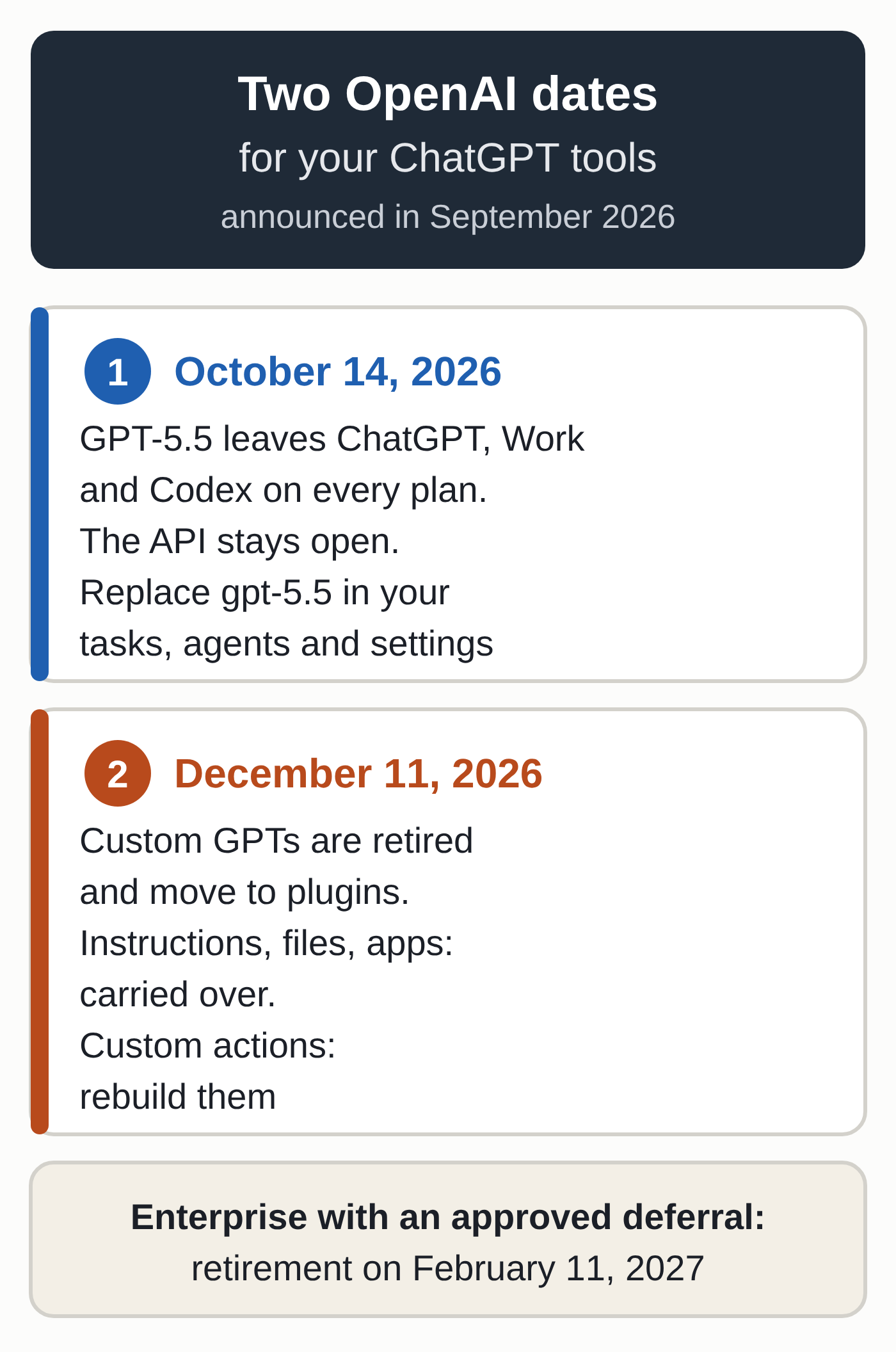
On October 14, 2026, OpenAI retires GPT-5.5 from ChatGPT, ChatGPT Work and Codex on every plan, including Business and Enterprise. The OpenAI API is not affected. That is the first of two deadlines. ChatGPT GPTs, the custom assistants freelancers have built for quotes, customer replies or product descriptions, are set to be retired on December 11, 2026, with a planned migration to plugins.
For anyone using ChatGPT with the default model, October 14 changes almost nothing. Any GPT, scheduled task or Codex configuration that calls GPT-5.5 by name, however, has to be updated before then. If your business runs on a custom GPT, you have eight weeks to migrate it and test the replacement.
GPT-5.5 leaves ChatGPT on October 14
OpenAI set the date on September 14, 2026, in the Codex changelog. The retirement covers ChatGPT, ChatGPT Work, and Codex when you sign in with a ChatGPT account, on consumer, Business, Enterprise and Edu plans. API-key access remains available. GPT-5.5 launched in ChatGPT and Codex on April 23, 2026, so its run there ends after 174 days.
The replacement depends on your plan. For Work and Codex, the Codex models page recommends these models when they are available: GPT-6 Sol (gpt-6-sol) for Plus, Pro, Business, Enterprise and Edu, and GPT-6 Luna (gpt-6-luna) in the desktop app for Free and Go. In the Chat tab, OpenAI has been rolling out GPT-6 as the default model for Plus, Pro, Business and Enterprise since October 7, with a Luna model for Free and Go.
OpenAI asks you to replace gpt-5.5 wherever it is hard-coded: workspace defaults, saved model settings, managed configurations, custom agents, scheduled tasks and scripts. In Codex, you set the model in config.toml, a file shared by the desktop app, the CLI and the IDE extension. In a company workspace, changing the default does not grant access to the new model. An administrator has to turn it on for the people who need it.
Our guide to OpenAI’s GPT models explains what Sol, Luna and Astra are each for, in ChatGPT and in the API.
Custom GPTs retire on December 11
OpenAI announced the end of custom GPTs on September 11, 2026, in the ChatGPT release notes. Its custom GPT retirement and migration FAQ says the transition affects all plans and that retirement is scheduled for December 11, 2026. Enterprise workspaces with an approved deferral have until February 11, 2027. On the retirement date, GPTs and their pages become inaccessible, but your past conversations with them remain available.
On a personal account (Free, Go, Plus or Pro), you can no longer create or publish a new GPT. Existing GPTs keep working until the retirement date. OpenAI’s planned timeline stops the creation of new GPTs in Enterprise workspaces on October 26.
Two and a half years ago, things went the other way. French tech site Blog du Modérateur reported on March 18, 2024, that OpenAI was shutting down its first plugins. Starting March 19, 2024, users could no longer install new ones, and GPTs took their place.
From GPT to plugin, piece by piece
A plugin bundles reusable instructions, called skills, with connected apps. The idea is close to Claude skills: instructions you write once and the assistant pulls in when a request calls for them. Once the option reaches your account, open “My GPTs” and select “Migrate to plugin” on the GPT you want to move.
| Part of your GPT | After migration |
|---|---|
| Instructions | Become a skill in the plugin |
| Knowledge files | Copied as reference files |
| Connected apps | Added to the plugin |
| Custom actions (calls to an external API) | Not carried over, must be rebuilt |
| Selected model | Not carried over |
| Sharing | Not carried over, the plugin starts private |
Migration uses the GPT’s latest published version. Drafts and unpublished edits do not carry over. Publishing a GPT does not mean sharing it publicly. After migration, the original GPT becomes read-only until retirement, and its creator can no longer delete it.
Custom actions take the most work. OpenAI says rebuilding them may require a custom MCP server, a small service that gives the assistant access to your tool. Our guide to MCP servers for small businesses explains how they work and which connectors already exist.
Seven checks before the two dates
- List the GPTs your business depends on, noting who built each one and who uses it. Only the creator can migrate a GPT (in an Enterprise workspace, an admin can too).
- Before October 14, search for
gpt-5.5in your scheduled tasks, custom agents, workspace settings and the Codexconfig.tomlfile, then replace it with the model recommended for your plan. - Publish pending edits to the GPTs you want to keep, since migration only picks up the latest published version. In an Enterprise workspace, any draft you need to migrate has to be published before October 26.
- Save a copy of your instructions and files, plus a list of your custom actions and their settings.
- Write down a few everyday requests and one difficult one, so you can compare the GPT’s answers with the plugin’s.
- Migrate as soon as the option shows up, then test: the plugin should pick the right skill, use your documents and follow the expected format.
- Share the plugin again and let your colleagues or clients know. On a Business plan, members can share a plugin with their workspace, depending on workspace settings.
If your company has an AI use policy, update its list of approved tools.
Questions OpenAI has not answered
The OpenAI pages we checked on October 13 do not say which model will take over open GPT-5.5 conversations in ChatGPT. When OpenAI retired GPT-5.2 on June 12, 2026, and GPT-4.5 on June 26, existing conversations could continue on GPT-5.5. OpenAI’s help page on GPTs says a GPT whose model goes away is automatically switched to a similar current model.
Dates also need to be confirmed for each account. OpenAI points to the notice in your account and warns that the migration option will not reach every account on the same day.
According to OpenAI, a migrated plugin may respond differently from the original GPT. On October 12, some ChatGPT users on Reddit said they would miss GPT-5.5. Another described a workflow that ran smoothly for two months and now takes more supervision with GPT-6 Astra.
Watch for the migration notice
The next step happens in your account: look for the migration notice and the “Migrate to plugin” option under “My GPTs.” The pages we checked show no retirement date for GPT-5.5 in the API. Before you rebuild your tools, compare your options: our Claude vs. ChatGPT comparison for small businesses tests both assistants on five office tasks.
You can also hand what your GPTs do to our AI assistant, configured for your business.