

Google has rewritten the “Advertising & solicitation” section of the policy that governs Google Maps and Google Business Profiles. A new “For merchants” list bans promotional or commercial content in the listing itself when it contains time-bound promotions, pricing or direct calls to action. Offers are still allowed in posts, where the policy now targets email addresses, phone numbers and links unrelated to your business. If your store, restaurant or practice has a Business Profile, reread its description this week.
Barry Schwartz of Search Engine Roundtable reported the change on October 6, 2026, citing before-and-after screenshots that Hiroko Imai posted on LinkedIn. According to copies of the English page saved by the Wayback Machine, the new text went live between September 16 and September 19, 2026. As of October 13, Google hasn’t announced an enforcement date or a penalty specific to this rule, as far as we can tell.
Merchants get their own rules
Google’s Prohibited & restricted content page, checked on October 13, 2026, now opens that section with a rationale: “Contributions to Google Maps should reflect genuine experiences or define a business’s permanent identity.” Google says this keeps the platform “reliable rather than a marketplace.”
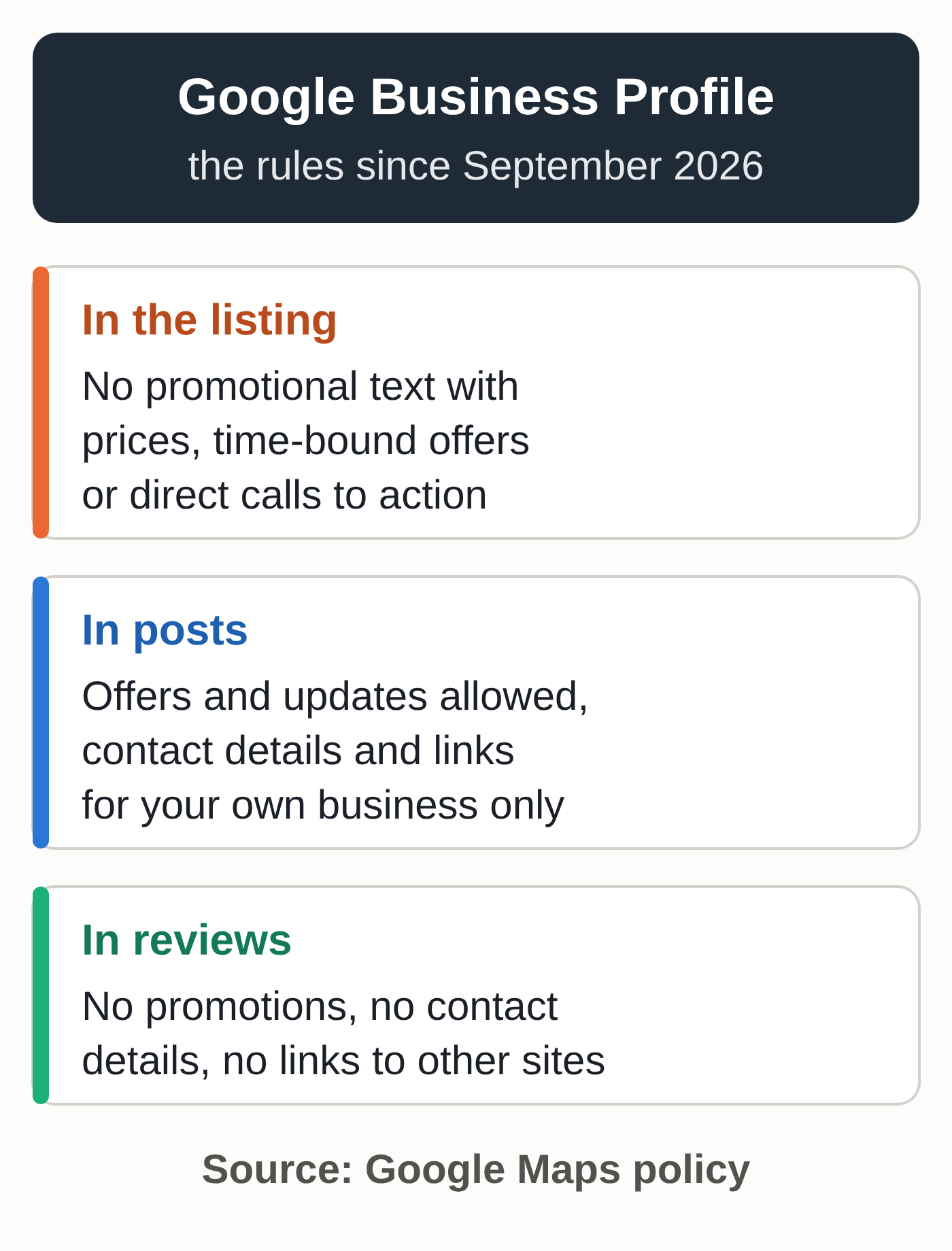
Two lists follow. For users, nothing has changed: no promotional or commercial content, and no contact details or links in reviews. Both bans were already in the September 16 version. For merchants, the policy treats two places differently:
- in the listing: “Promotional or commercial content that contains any of the following: Time-bound promotions, pricing, or direct calls-to-action.”
- in posts: contact details and links “that are not related to your business,” followed by this clarification: “Offers and updates that may be seen as promotional or commercial content are otherwise permitted in posts.”
Until at least September 16, the English section consisted of one general instruction (don’t post content for advertising or solicitation purposes), followed by two examples: promotional or commercial content, and contact details or links posted in reviews. It didn’t mention merchants.
How this differs from the existing guidelines
Google already discourages prices and promotions in the business description. Its guidelines for representing your business list this among the things a description must not do: “Focus on special promotions, prices, and offer sales.” The two examples of content that isn’t allowed are “Everything on sale, -50%” and “Best bagels in town for $5!” The same guidelines keep marketing taglines and business hours out of the business name, and say breaking that rule could get your profile suspended.
The new policy goes further in two ways. It adds direct calls to action, which the description guidelines don’t mention. Google gives no examples; we’d put phrases like “Call us today” or “Book now” in that category. Its scope is also wider: the label “In the listing” reaches beyond the description field, though Google doesn’t define what the listing covers.
This rule sits in the prohibited content policy, which Google applies to every contribution on Maps. The policy overview for Business Profiles says a merchant who shows a pattern of violating Business Profile policies may have their access restricted. When an account is restricted, every Business Profile tied to it is suspended.
Offers still belong in posts
The help page on posts describes three formats. An offer post requires a title, dates and times, automatically gets a “View Offer” button, and can include a description, photo, video, coupon code, a link, and terms and conditions. Update and event posts can carry an action button with a link, such as a button to book or order online. Google archives posts older than six months unless a date range is set.
The posts content policy already sets two limits. Google may remove posts with unverified contact information (phone numbers, email addresses or social media handles); you can attach a “Call now” button instead, which uses the verified phone number on your profile. Hotels can’t publish offer posts or any post that mentions deals, promotions or discounts.
| Where | Allowed | Banned or discouraged |
|---|---|---|
| Business name | your real-world name, as on your storefront and stationery | marketing taglines, business hours |
| Description (750 characters) | what you offer, what makes you special, how long you’ve been in business | prices, time-bound promotions, calls to action, links |
| Offer, update and event posts | dated offers, coupon codes, terms, action buttons | contact details and links unrelated to your business |
| Menu and services editors | prices for your dishes or services, kept accurate | not addressed by the new policy |
Six things to check on your profile
- Reread your description, which is capped at 750 characters. Remove prices, time-limited discounts (“20% off through Sunday”) and lines like “Call us today” or “Book now.” Keep what Google suggests: what you offer, what makes you special and how long you’ve been in business.
- If an AI assistant wrote your description, reread it with these three bans in mind, since generated text can slip into ad copy. Google offers AI help with descriptions in some regions, and our article on local SEO in the age of AI covers the approach.
- Check your business name. A tagline or business hours in the name can get a profile suspended under the existing guidelines.
- Move your promotions into offer posts, and add start and end dates plus your terms. Hotels are the exception: their posts can’t include any offer or promotion.
- Clean up your posts by removing phone numbers, email addresses and links unrelated to your business. For calls, use the “Call now” button.
- Keep an eye on your post statuses. A post marked “Not approved” doesn’t show on Search or Maps, and the question mark next to the status tells you which policy it breaks.
If you manage several profiles from one account (a chain, a franchise or an agency), review all of them: a restricted account means every profile on it gets suspended. If you run a restaurant, our guide to Google Business Profile for restaurants walks through writing the description. Categories, reviews and local citations are covered in our complete guide to local SEO.
Questions Google hasn’t settled
As of October 13, 2026, we haven’t found an announcement from Google, an enforcement date or a precise definition of “the listing.” It’s not yet clear whether existing content will be removed automatically or as reports come in.
Two passages on a single Google page seem to contradict the new rule. Google’s help page on editing your profile gives a sample description that ends with a direct call to action: “Come visit us today!” The same page tells you to keep menu and service prices accurate in the menu and services editors. Our reading, which Google hasn’t confirmed: the rule targets promotional text, and the price fields Google itself provides remain a normal part of the profile.
On contact details, there’s no conflict. The guidelines let merchants post their own business contact information on their profile and in replies to reviews, and the new policy only targets contact details unrelated to the business. Reviews have their own rules, which we cover in our Google reviews kit.
On October 12, a Reddit user asked people who manage lots of profiles whether they’d started cleaning up their descriptions. Until Google clarifies, three things are worth watching: an update to Google’s sample description, “Not approved” statuses on posts that used to go through, and any follow-up coverage from Search Engine Roundtable.
Your profile also sends people to your website. To have it checked, request our free SEO audit.